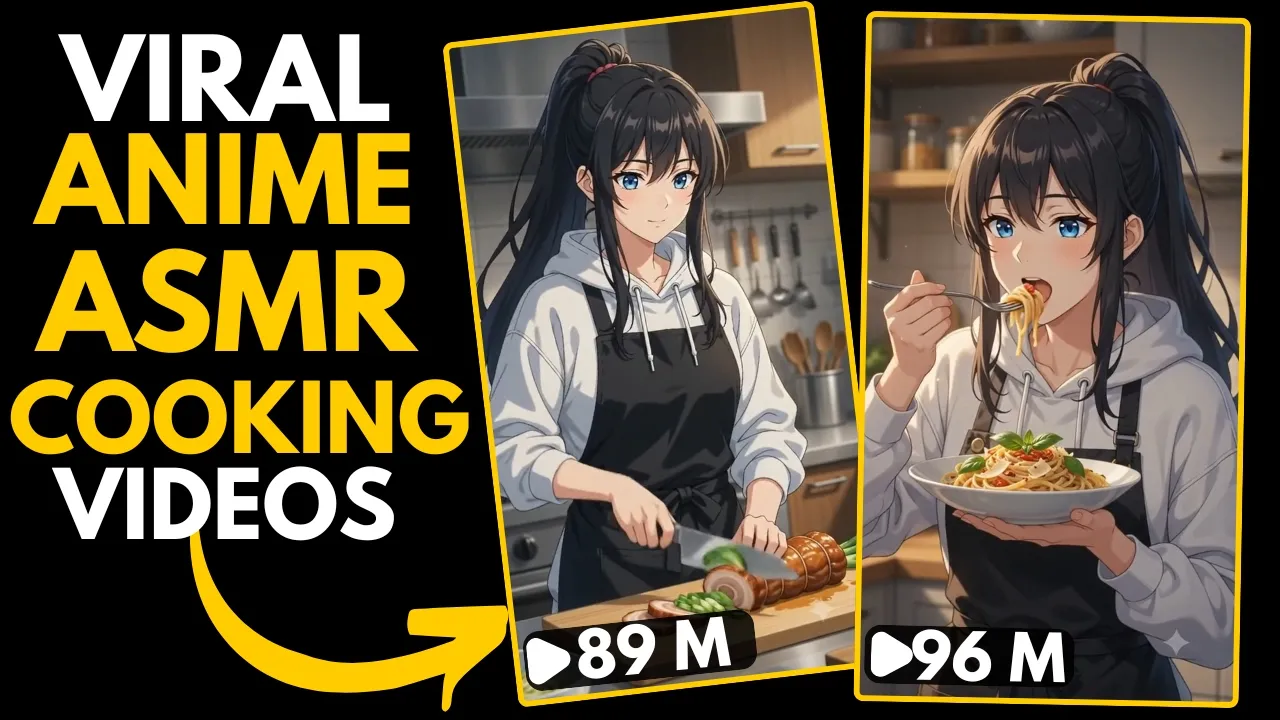
Have you noticed those incredibly satisfying anime ASMR cooking videos taking over Instagram Reels, YouTube Shorts, and TikTok lately?
The best part? This niche is still relatively unsaturated, meaning there’s a huge opportunity for content creators to start early before it becomes overcrowded.
In this guide, I’ll show you the complete process of creating stunning anime ASMR cooking videos using free AI tools. The entire workflow takes only a few minutes, and the final results look surprisingly professional.
Why Anime ASMR Cooking Videos Are Going Viral
Anime-inspired ASMR cooking videos combine several trends that audiences love:
- Relaxing ASMR sound design
- Beautiful anime-style visuals
- Food preparation animations
- Short-form vertical videos
- Highly shareable content
These videos perform exceptionally well on platforms like:
- Instagram Reels
- YouTube Shorts
- TikTok
- Facebook Reels
Because they’re visually satisfying and easy to watch, viewers often replay them multiple times, increasing engagement and watch time.
Step 1: Get the Master Prompt
Everything starts with a Master Prompt.
The creator provides a ready-made prompt (available through the video description) that helps ChatGPT generate detailed AI video instructions automatically.
Instead of writing complicated prompts yourself, simply:
- Copy the entire master prompt.
- Open ChatGPT.
- Paste the prompt.
- Press Enter.
This saves a huge amount of time and ensures consistent results.
You can try ChatGPT here:
Step 2: Choose Your Character
Once the prompt is submitted, ChatGPT asks you to choose your main character.
Typical options include:
- Female character
- Male character
- Upload your own character
For this tutorial, the creator selects a female anime character.
Simply type:
Female
and send the message.
Step 3: Select a Food Item
Next, ChatGPT generates a list of 10 different food options.
For example:
- Ramen
- Sushi
- Pizza
- Burger
- Pasta
- Dumplings
- Fried Rice
- Pancakes
- Steak
- Ice Cream
Choose whichever food you prefer.
In this example, Ramen is selected by simply typing:
1
After submitting your choice, ChatGPT automatically creates a detailed cinematic prompt for your AI video.
Step 4: Copy the Generated Prompt
Once ChatGPT finishes generating the prompt, copy the entire output.
This prompt contains detailed instructions such as:
- Character appearance
- Camera movement
- Lighting
- Food preparation sequence
- Anime style
- Environment
- Visual effects
- Atmosphere
The more detailed the prompt, the better your AI-generated video will look.
Step 5: Open Google Flow AI
Now head over to Google Flow AI.
Switch to:
- Video Mode
Configure the following settings:
- Aspect Ratio (Vertical 9:16 for Shorts/Reels)
- Video Model: Omni Flash
- Duration: 10 Seconds
Once everything is ready:
- Paste the copied prompt.
- Click Generate.
Google Flow AI usually completes the rendering in around one minute.
Learn more about Google’s AI tools:
Step 6: Generate Your Video
After approximately one minute, your AI video is ready.
The final result includes:
- Beautiful anime visuals
- Smooth cooking animation
- Relaxing atmosphere
- Cinematic camera movement
- Highly satisfying ASMR experience
The combination of these elements makes the content extremely engaging for short-form platforms.
Step 7: Download and Share
Once you’re satisfied with the result:
- Save the generated video.
- Upload it to:
- YouTube Shorts
- Instagram Reels
- TikTok
- Facebook Reels
Use relevant hashtags to improve discoverability.
Some useful hashtags include:
#AnimeAI
#ASMR
#AIAnimation
#AnimeCooking
#AIArt
#Shorts
#InstagramReels
#TikTok
#GoogleFlowAI
Tips for Making Viral Anime AI Videos
To maximize your chances of going viral:
- Use highly detailed prompts.
- Focus on visually appealing foods.
- Keep videos between 8–15 seconds.
- Add relaxing background music or ASMR sound effects.
- Upload consistently.
- Follow trending audio whenever possible.
- Experiment with different anime art styles.
- Create series around different cuisines.
Consistency plays a major role in growing an audience in this niche.
Best Free AI Tools for This Workflow
Here are the primary tools used in this tutorial:
| Tool | Purpose |
|---|---|
| ChatGPT | Generate detailed AI prompts |
| Google Flow AI | Convert prompts into videos |
| CapCut (Optional) | Add captions, music, and final edits |
Useful resources:
- ChatGPT: https://chat.openai.com/
- Google AI: https://ai.google/
- CapCut: https://www.capcut.com/
SEO Keywords
- Anime ASMR Cooking Videos
- AI Anime Video Generator
- Google Flow AI Tutorial
- ChatGPT Video Prompt
- AI Cooking Animation
- Anime Food Video
- AI Video Creation
- Viral AI Video Ideas
- Free AI Video Generator
- AI Shorts Tutorial
Final Thoughts
Anime ASMR cooking videos are quickly becoming one of the most exciting content niches across social media. Since the competition is still relatively low, this is a great time to start experimenting and building your audience.
By using a simple ChatGPT master prompt along with Google Flow AI, you can create professional-looking anime cooking animations in just a few minutes—without needing advanced editing skills or expensive software.
If you stay consistent, explore different food themes, and keep improving your prompts, you’ll have a strong chance of creating content that stands out and attracts viewers before this niche becomes saturated.