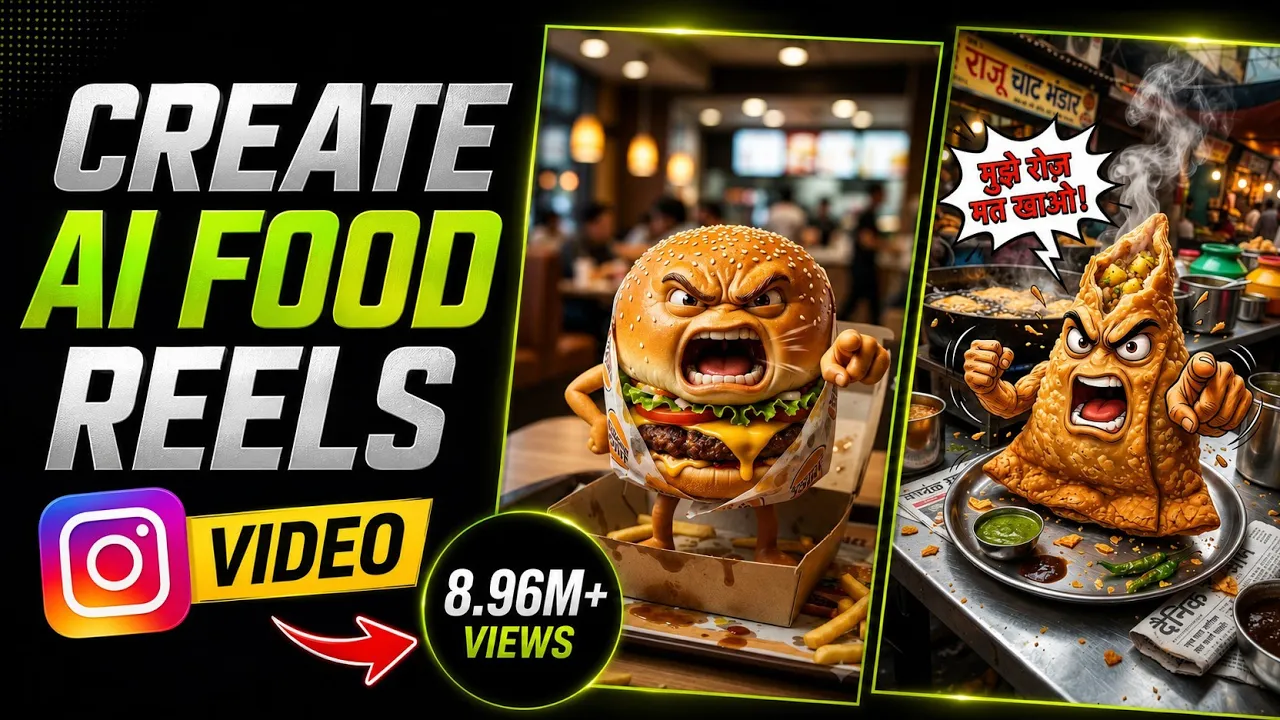
AI-generated talking food videos are becoming one of the hottest content trends on Instagram Reels, YouTube Shorts, and TikTok. Imagine a burger angrily warning people not to eat it every day or a samosa explaining why too much fried food can harm your health. These creative, funny, and educational videos are attracting millions of views, and many creators are earning impressive revenue from them.
In this guide, I’ll show you exactly how to create these viral AI food videos using ChatGPT, Google Gemini, and YouTube Create. The process is beginner-friendly, requires no professional editing skills, and can be done entirely from your smartphone.
Why AI Talking Food Videos Are Going Viral
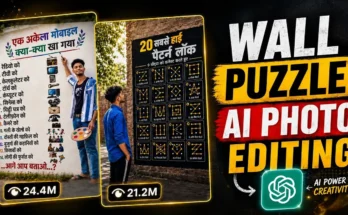
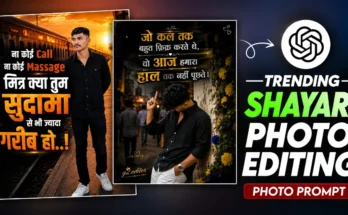
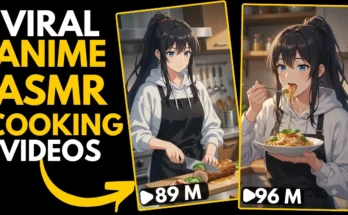
Before we begin, take a look at some of the creators already making these videos. Many channels have uploaded dozens of AI-generated food videos, and almost every upload has received millions of views.
The concept is simple:
- A food item (Burger, Pizza, Samosa, Momos, Fries, etc.) talks like a real person.
- It warns viewers about eating too much of it.
- The dialogue is humorous but educational.
- The AI animation makes it look realistic.
This combination of entertainment and health awareness keeps viewers watching until the end.
What You’ll Need
To create these AI videos, you’ll use the following tools:
- ChatGPT – Generate image prompts and dialogue
- Google Gemini – Create high-quality AI images
- YouTube Create – Turn images into AI talking videos
Helpful Resources:
- OpenAI ChatGPT: https://chat.openai.com/
- Google Gemini: https://gemini.google.com/
- YouTube Create: https://play.google.com/store/apps/details?id=com.google.android.apps.youtube.creator
- Learn more about YouTube Shorts: https://support.google.com/youtube/answer/10059070
Step 1: Generate an AI Image Prompt with ChatGPT
First, open ChatGPT on your phone.
Now ask it to create an image prompt for your chosen food item.
For example, if you’re making a burger video, type something like:
“Give me a detailed AI image prompt of an angry burger speaking to the audience. The image should be in 9:16 portrait ratio and look realistic.”
Within seconds, ChatGPT will generate a detailed prompt.
Copy the entire prompt because you’ll use it in the next step.
You can replace the burger with any food item, such as:
- Pizza
- Momos
- Samosa
- French Fries
- Ice Cream
- Soft Drinks
- Chips
- Chocolate
Step 2: Generate the AI Food Image in Gemini
Now open the Google Gemini app.
Tap the + (Plus) button and start a new chat.
Paste the prompt you copied from ChatGPT and send it.
Wait a few moments while Gemini creates your AI image.
Once it’s ready, you’ll get a high-quality image of your talking food character.
Simply tap Save to download the image to your device.
Step 3: Convert the Image into an AI Talking Video
Now open YouTube Create.
If you’re using it for the first time:
- Sign in with your Google account.
- Complete the setup process.
Once inside the app:
- Tap Generate Video
- Upload the AI image you created
- Now you’ll need a dialogue for the food character.
Step 4: Create Funny Food Dialogue with ChatGPT
Go back to ChatGPT.
Now ask it to generate a short dialogue where the food item is speaking angrily.
For example:
“Write a 3–4 line dialogue where a burger angrily explains why eating burgers every day is unhealthy.”
ChatGPT will generate something similar to:
“Don’t eat me every single day! I’m loaded with oil, salt, and calories. Eating too much of me can increase the risk of obesity, heart disease, and high blood pressure. Enjoy me occasionally if you truly care about your health.”
Copy the dialogue.
Step 5: Generate the Talking AI Video
Return to YouTube Create.
Paste the copied dialogue into the text field.
Before the dialogue, make sure to write:
Saying,
For example:
Saying, Don’t eat me every day! I’m full of calories…
This helps the AI understand that the character should speak these words.
Now tap Generate.
Wait around 30 seconds.
Your AI talking food video will be ready.
The result is surprisingly realistic, with the food character speaking naturally while maintaining facial expressions.
Create Unlimited Food Characters
The same process works for any food item.
For example:
Angry Samosa
Ask ChatGPT:
“Generate a 9:16 AI image prompt of an angry samosa speaking.”
Generate the image using Gemini.
Then ask ChatGPT:
“Write a short angry dialogue where a samosa explains the health risks of eating too much fried food.”
Copy the dialogue.
Generate the video inside YouTube Create.
Within seconds, you’ll have another AI talking character.
You can repeat this process for:
- Pizza
- Momos
- French Fries
- Donuts
- Cake
- Chocolate
- Cold Drinks
- Noodles
- Sandwiches
- Tacos
The possibilities are endless.
Export Your Video in High Quality
Once your AI video is ready:
- Tap the Export icon.
- Select 4K Resolution (if available).
- Set the frame rate to 60 FPS.
- Export the video.
Your final video will be saved in excellent quality, ready to upload on:
- Instagram Reels
- YouTube Shorts
- TikTok
- Facebook Reels
Tips to Get More Views
To maximize your chances of going viral:
- Keep videos between 15 and 30 seconds.
- Use funny, emotional, or angry dialogues.
- Add subtitles.
- Use trending background music (where permitted).
- Upload consistently.
- Create multiple food characters instead of repeating the same one.
- Focus on educational and entertaining content rather than making misleading health claims.
Is This Content Safe to Monetize?
Educational AI-generated content can perform well on social media, but it’s important to follow each platform’s monetization and AI disclosure policies. Make sure your videos provide original value, avoid misinformation, and comply with community guidelines.
You can learn more here:
- YouTube Community Guidelines: https://support.google.com/youtube/answer/9288567
- YouTube AI Content Policies: https://support.google.com/youtube
Final Thoughts
Creating viral AI talking food videos has never been easier. By combining ChatGPT for prompts and dialogue, Google Gemini for realistic image generation, and YouTube Create for AI animation, you can produce engaging short-form content directly from your smartphone.
Whether it’s a burger warning about excessive calories or a samosa reminding viewers to enjoy fried snacks in moderation, these videos are fun, educational, and highly shareable. With creativity and consistency, you can build a growing audience across YouTube Shorts, Instagram Reels, and other short-video platforms.
Start experimenting with different food characters, unique personalities, and creative dialogues—and who knows, your next AI food video could be your first viral hit!