How to Create Viral AI Handcrafted Videos in One Click Using ChatGPT, Gemini, and Flow AI
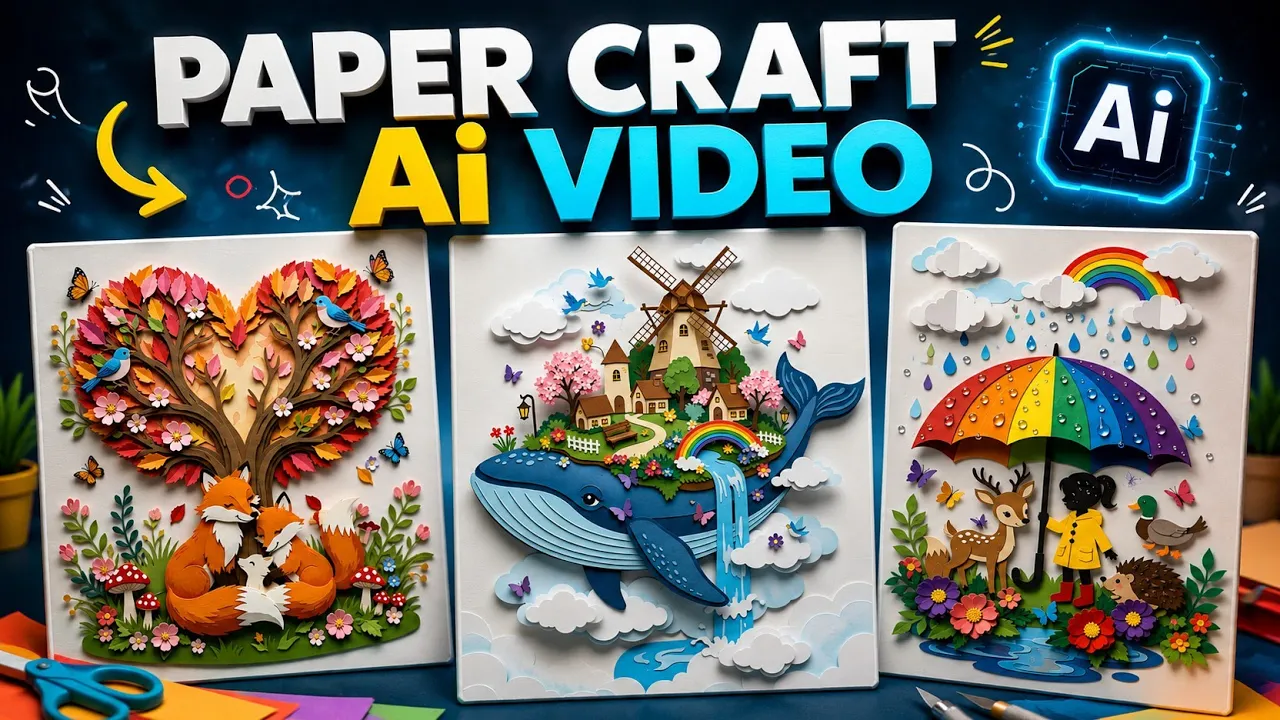
AI-generated handcrafted videos are taking Instagram by storm. These videos look as if they were carefully crafted by hand, making them highly engaging and perfect for Reels, Shorts, and TikTok content. The best part? You don’t need advanced editing skills or expensive software.
In this guide, I’ll show you exactly how to create stunning AI handcrafted videos in just a few steps using ChatGPT, Gemini AI, and Flow AI.
Why Are AI Handcrafted Videos Going Viral?
If you’ve spent any time on Instagram recently, you’ve probably seen these mesmerizing handcrafted-style videos. Their unique visual appeal grabs attention instantly, making viewers stop scrolling and watch until the end.
Some reasons why these videos are trending include:
- Highly engaging visual effects
- Perfect for Instagram Reels and YouTube Shorts
- Easy to create with AI tools
- No professional editing experience required
- Great for increasing reach and engagement
If you want to jump on this trend, follow the step-by-step process below.
Step 1: Generate Handcrafted Video Ideas with ChatGPT
The first thing you’ll need is a powerful AI prompt designed specifically for handcrafted videos.
What to Do:
- Open the ChatGPT application.
- Copy a specially designed master prompt for handcrafted video creation.
- Paste the prompt into ChatGPT.
- Send the prompt.
Once submitted, ChatGPT will generate multiple handcrafted video concepts and creative ideas.
For example, you may receive:
- Miniature handcrafted city creation
- Handmade paper art animation
- Clay modeling transformation
- Wooden sculpture timelapse
- Fantasy handcrafted world
Choose any idea that matches your content style.
Recommended Tool
Visit ChatGPT’s official website:
Step 2: Let ChatGPT Generate Image and Video Prompts
After selecting your preferred idea, simply send it back to ChatGPT.
ChatGPT will analyze the concept and automatically generate:
- Detailed Image Prompt
- Detailed Video Prompt
These prompts are specifically optimized for creating high-quality handcrafted visuals.
The image prompt will be used in Gemini AI, while the video prompt will be used later in Flow AI.
Step 3: Create Your AI Image Using Gemini
Now it’s time to generate the base image.
Instructions:
- Open the Gemini AI application.
- Paste the Image Prompt generated by ChatGPT.
- Click Send.
- Wait for Gemini to generate the image.
Within a few moments, Gemini will create a detailed handcrafted-style image based on your selected concept.
Official Gemini Website
Tips for Better Results
- Use detailed prompts.
- Mention lighting effects.
- Add camera angles.
- Include handcrafted textures.
- Specify realistic materials such as wood, clay, paper, or fabric.
Once satisfied with the image, save it to your device.
Step 4: Convert the Image into a Video with Flow AI
Now comes the exciting part—turning your handcrafted image into a cinematic video.
Instructions
- Open Chrome Browser.
- Search for Flow AI.
- Log into your account.
- Click New Project.
- Upload the image generated by Gemini.
- Select the uploaded image.
Next, return to ChatGPT and copy the Video Prompt.
Paste the Video Prompt into Flow AI.
Recommended Settings
| Setting | Value |
|---|---|
| Format | Video |
| Aspect Ratio | 9:16 |
| Frame Speed | 1x |
| Duration | 10 Seconds |
| Output | Vertical Reel |
After configuring the settings:
- Click Generate.
- Wait a few seconds.
- Flow AI will create your handcrafted video automatically.
Step 5: Download the Final Video
Once rendering is complete:
- Preview the video.
- Click the Download icon.
- Select Original Quality.
- Save the video to your device.
That’s it!
You now have a professional-looking AI handcrafted video ready for:
- Instagram Reels
- YouTube Shorts
- TikTok
- Facebook Reels
- Pinterest Video Pins
Creating Multiple Handcrafted Videos
The beauty of this workflow is that you can create unlimited handcrafted videos.
Simply:
- Return to ChatGPT.
- Choose another generated idea.
- Request a new image prompt and video prompt.
- Generate a fresh image in Gemini.
- Convert it into a video using Flow AI.
Each idea will produce a completely unique handcrafted video.
Pro Tips to Make Your Videos More Viral
To maximize engagement, try these strategies:
Use Trending Audio
Pair your handcrafted videos with trending Instagram sounds to boost discoverability.
Keep Videos Short
Videos between 8–15 seconds generally perform better on Reels and Shorts.
Add Smooth Motion
Use prompts that include:
- Camera zoom
- Slow panning
- Object transformation
- Cinematic movement
Focus on Visual Storytelling
Create handcrafted scenes that tell a mini story rather than displaying static objects.
Best AI Tools for This Workflow
1. ChatGPT
Used for generating handcrafted video ideas and prompts.
2. Gemini AI
Used for creating handcrafted images.
3. Flow AI
Used for transforming images into videos.
4. Instagram Reels
For publishing your finished handcrafted videos.
Final Thoughts
AI handcrafted videos are currently one of the fastest-growing content trends on Instagram and short-form video platforms. With the combination of ChatGPT, Gemini, and Flow AI, you can create eye-catching handcrafted animations in just a few minutes without any advanced editing knowledge.
Simply generate an idea, create an image, convert it into a video, and publish it online. The more creative your prompts, the better and more unique your handcrafted videos will become.
If you’re serious about growing on Instagram, YouTube Shorts, or TikTok, this AI-powered workflow is definitely worth trying. Start experimenting with different handcrafted concepts today and create viral-worthy content with just a few clicks.