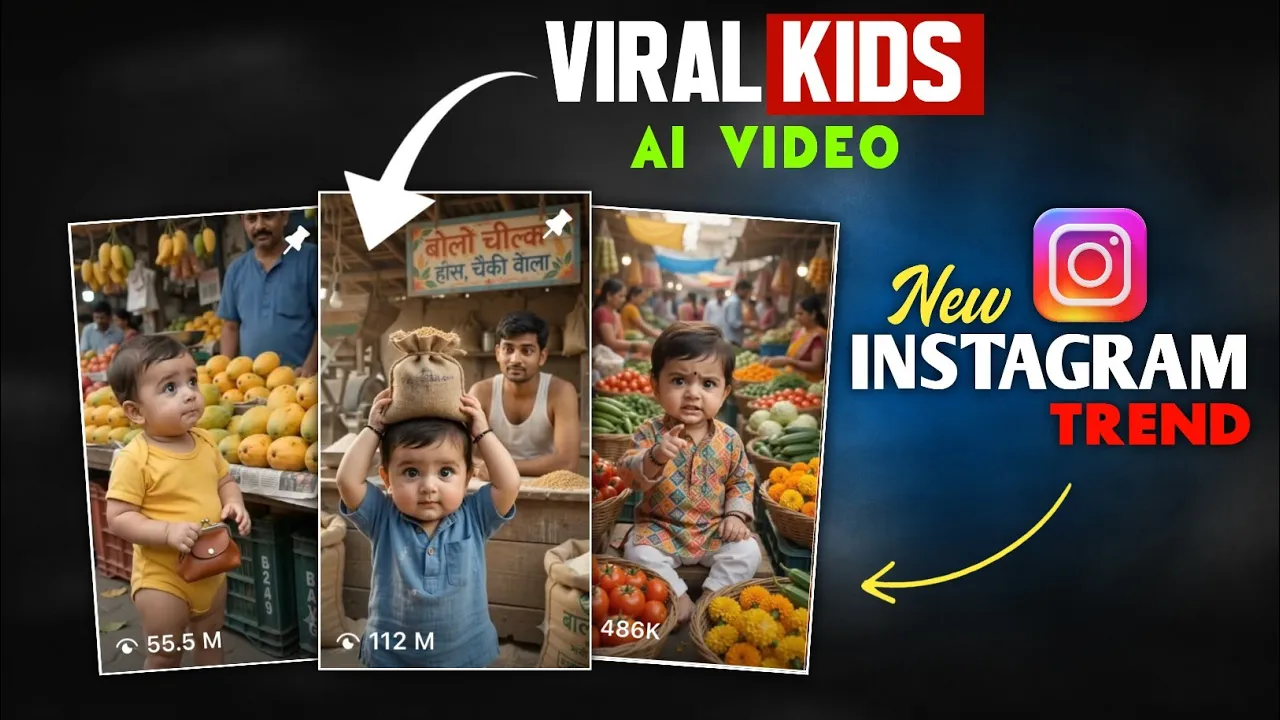
Have you seen those adorable AI baby videos going viral on Instagram lately? They’re funny, creative, and incredibly engaging. One moment a cute kid is asking for a mango ice cream flavor, and the next everyone is laughing because of the hilarious ending.
If you’ve ever wanted to create these viral AI videos yourself, you’re in the right place. In this guide, I’ll show you exactly how to generate similar AI baby videos using ChatGPT and Flow AI, even if you’re a complete beginner.
Let’s get started!
Why Are AI Baby Videos Going Viral?
AI-generated baby videos are currently one of the hottest trends on Instagram Reels, YouTube Shorts, and TikTok.
Thousands of creators are uploading these short, entertaining clips, and many of them are receiving millions of views along with massive follower growth.
The best part?
You don’t need professional editing skills. With the help of AI, you can create these videos in just a few minutes.
What You’ll Need
Before starting, make sure you have:
- ChatGPT
- Google Chrome
- A Flow AI account
- A creative dialogue idea
Step 1: Generate Your Video Prompt Using ChatGPT
First, open ChatGPT.
Instead of writing an entire cinematic prompt yourself, simply paste a prepared AI video prompt template.
The prompt should contain placeholders for:
- Location
- Characters
- Dialogues
- Environment
- Camera style
- Video quality
Once pasted, customize it according to your idea.
Example Location
Instead of using a generic location, describe it in detail.
Example:
A bright and colorful ice cream shop in India with multiple tubs of different ice cream flavors displayed beautifully.
The more descriptive your location is, the better the AI-generated video will look.
Step 2: Write Funny Dialogues
Next, replace the sample dialogue with your own conversation.
Here’s the example used in this tutorial:
Kid
Uncle, can I taste the mango flavor?
Shopkeeper
Sure, son. Here you go.
Kid
Tastes the ice cream.
Wow… it’s so delicious! I’m already full!
The child happily walks away while the shopkeeper stands there completely shocked.
Simple conversations like this usually perform very well because they’re short, funny, and easy to understand.
Step 3: Let ChatGPT Create the Complete Video Prompt
Once you’ve entered:
- Your location
- Character details
- Dialogues
Simply click Send.
Within seconds, ChatGPT will generate a detailed cinematic AI video prompt including:
- Character appearance
- Scene description
- Camera movement
- Facial expressions
- Environment
- Lighting
- Dialogues
- Video style
Copy the entire generated prompt.
Step 4: Open Flow AI
Now open your Chrome browser.
Search for:
Flow AI
Open the official website and log in using your email account.
After logging in, you’ll see the dashboard.
Create a New Project.
Step 5: Paste Your Prompt
Inside the project editor:
- Paste the prompt generated by ChatGPT.
- Make sure you’ve selected Video Generation instead of Image Generation.
This is an important step that many beginners accidentally miss.
Step 6: Configure Video Settings
Before generating your video, adjust these settings:
- Aspect Ratio: 9:16 (Perfect for Instagram Reels and YouTube Shorts)
- Frames: 1x
- Model: Omni (or the recommended default model)
- Duration: 10 Seconds
Once everything is set, click Generate.
Step 7: Wait for AI to Create the Video
Flow AI will take a short time to process your request.
After a few moments, your AI-generated video will be ready.
The result looks surprisingly realistic, with:
- Natural facial expressions
- Lip-synced dialogues
- Smooth animation
- High-quality visuals
The example shown in this tutorial features a child tasting mango ice cream, saying:
“It’s so tasty… my stomach is already full!”
The unexpected ending and the shopkeeper’s shocked reaction make the clip even more entertaining.
Step 8: Download Your Video
Once you’re satisfied with the result:
- Click the Download icon.
- Select Original Size for the highest quality.
- Save the video to your device.
Now your video is ready to upload on Instagram Reels, TikTok, or YouTube Shorts.
Tips to Make Your AI Videos Go Viral
To improve your chances of getting more views:
- Keep videos between 8–10 seconds.
- Use funny and relatable dialogues.
- Add expressive facial reactions.
- Choose colorful backgrounds.
- Use trending background music when uploading.
- Post consistently.
- Include relevant hashtags.
Best AI Video Ideas
If you’re looking for inspiration, here are a few ideas:
- Baby ordering food
- Funny shopkeeper conversations
- Talking animals
- Mini fruit vendors
- AI classroom comedy
- Kids visiting candy stores
- Cartoon-style family scenes
- AI village comedy
- Toy shop conversations
Frequently Asked Questions
Is ChatGPT free to use?
Yes. ChatGPT offers a free version, although some advanced features require a paid subscription.
Can beginners create these AI videos?
Absolutely. You don’t need any editing experience. Just generate a prompt, paste it into Flow AI, and let the AI do the work.
Which video size is best for Instagram?
Use a 9:16 vertical aspect ratio for Instagram Reels, YouTube Shorts, and TikTok.
How long should the video be?
A duration of around 10 seconds works well for short-form platforms.
Helpful Resources
To learn more about the tools used in this tutorial, check out these official resources:
- ChatGPT: https://chatgpt.com/
- OpenAI Prompting Guide: https://platform.openai.com/docs/guides/prompt-engineering
- Instagram Reels Best Practices: https://creators.instagram.com/
- YouTube Shorts Creator Tips: https://support.google.com/youtube/
Final Thoughts
Creating viral AI baby videos has become much easier thanks to modern AI tools like ChatGPT and Flow AI. Instead of spending hours animating characters manually, you can generate professional-looking short videos with just a well-written prompt.
The key to success isn’t just using AI—it’s coming up with creative, funny dialogues that keep viewers watching until the end. Experiment with different scenarios, locations, and characters, and you’ll quickly discover what resonates with your audience.
If you stay consistent and continue improving your storytelling, these AI-generated shorts can become a powerful way to grow your Instagram, TikTok, and YouTube presence.