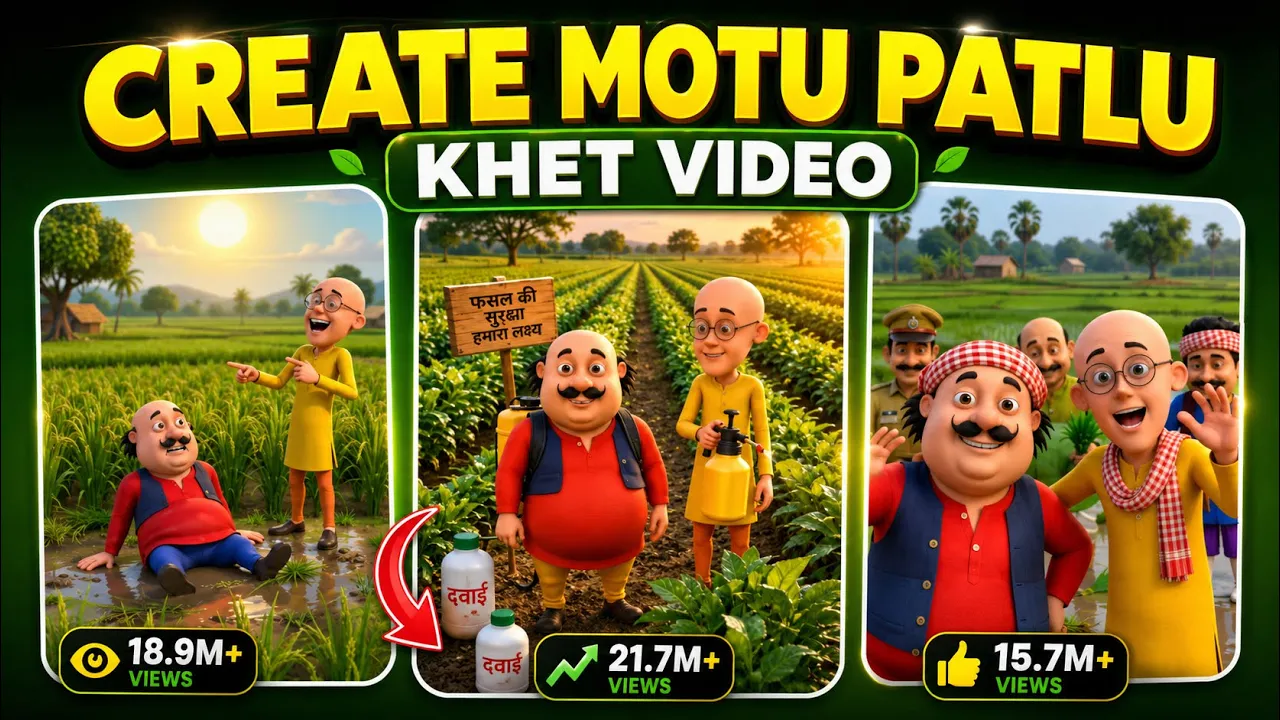
If you’ve recently been scrolling through Instagram, you’ve probably noticed those fun AI-generated Motu Patlu videos where the characters welcome viewers to a specific city or village. These personalized videos are getting millions of views because they’re engaging, relatable, and incredibly easy to make.
In this guide, I’ll show you exactly how to create your own AI Motu Patlu video for your city or village using ChatGPT and AI video tools. The best part? You can do everything from your smartphone in just a few minutes.
Why Are AI Motu Patlu Videos Going Viral?
These videos combine nostalgia with AI technology. Since they’re personalized for different cities, towns, and villages, people love sharing them with friends and family.
Whether you’re a content creator, Instagram Reels enthusiast, or simply want to create entertaining AI videos, this tutorial will help you get started.
What You’ll Need
Before we begin, make sure you have:
- ChatGPT app
- An AI image generation prompt
- A video generation app (such as YT Create or another AI talking-photo app)
- Internet connection
- A smartphone
Step 1: Open ChatGPT
First, open the ChatGPT application on your phone.
The video creator provides a master prompt (usually available in the video description). Copy that prompt and paste it into ChatGPT.
This prompt is designed to generate a customized Motu Patlu welcome image based on your location.
Step 2: Replace the Location Name
After pasting the prompt, scroll through it until you find the placeholder for the location.
It may look something like:
[Location Name]Simply delete the placeholder and enter your own location.
For example:
- Fulang
- Mumbai
- Delhi
- Lahore
- Karachi
- New York
- London
You can use any village, city, or town.
You’ll also notice another “Welcome to…” section in the prompt.
Replace that location as well with your own city name.
Step 3: Generate the AI Image
Now tap Send.
ChatGPT will begin generating a personalized AI image.
Wait a few moments until the image is ready.
Once it’s generated, you’ll notice that the welcome message now includes your chosen location.
Download and save the generated image to your phone.
Step 4: Generate the Dialogue
Next, copy the second prompt provided by the creator.
Paste it into ChatGPT.
Again, replace the location placeholder with your own city or village name.
You’ll also find a language option.
Choose whichever language you want the AI character to speak, such as:
- Hindi
- English
- Bengali
- Tamil
- Telugu
- Marathi
- Urdu
Or any language supported by your AI video tool.
After making these changes, tap Send.
Within seconds, ChatGPT will generate multiple dialogue options.
Choose the dialogue you like the most and copy it.
Step 5: Open the AI Video Generator
Now open your AI video creation application.
In the tutorial, the creator uses YT Create.
After opening the app:
- Tap Generate Video.
- Select Upload Image.
- Upload the AI image you generated with ChatGPT.
- Paste the dialogue you copied earlier.
If the dialogue contains emojis or unnecessary symbols, simply remove them before generating the video.
Step 6: Generate the Talking AI Video
Once everything is ready:
- Tap Generate
- Wait for the AI processing to finish
Within a few seconds, your personalized Motu Patlu AI video will be ready.
The AI character will welcome viewers to your chosen city while speaking the dialogue generated by ChatGPT.
The result looks professional and is perfect for Instagram Reels, YouTube Shorts, and Facebook videos.
Step 7: Export the Video
Once you’re satisfied with the result:
- Tap Use Video
- Tap the Export icon
- Set the frame rate to 60 FPS for smoother quality
- Export the final video
Your AI video will now be saved to your device in high quality.
Tips to Make Your AI Videos Go Viral
To improve your chances of getting more views:
- Use your hometown or a famous tourist destination.
- Keep the dialogue short and engaging.
- Add trending background music before uploading.
- Include captions for better engagement.
- Use relevant hashtags like #AIVideos, #MotuPatlu, #InstagramReels, and #AIContent.
- Upload consistently to build an audience.
Best AI Tools for This Workflow
Here are some useful AI tools that can help you create similar content:
- ChatGPT – Generate prompts, scripts, and dialogues.
https://chatgpt.com/ - OpenAI – Learn more about AI tools and technologies.
https://openai.com/ - YouTube Create – Free video editing app for creators.
https://play.google.com/store/apps/details?id=com.google.android.apps.youtube.create - Canva AI – Create thumbnails, graphics, and social media posts.
https://www.canva.com/ - Adobe Express AI – AI-powered design and video editing.
https://www.adobe.com/express/
Final Thoughts
Creating personalized AI Motu Patlu videos is surprisingly easy with today’s AI tools. By combining ChatGPT for image prompts and dialogue generation with an AI video generator, you can produce engaging, location-specific videos that have strong viral potential on Instagram Reels, YouTube Shorts, and other social media platforms.
Simply replace the location name with your own city or village, generate the AI image and dialogue, upload them into your preferred AI video tool, and export the finished video in high quality. With a little creativity and consistency, you can start creating entertaining AI content that stands out online.