How to Create Viral AI Food Eating Videos for Instagram Using ChatGPT (Step-by-Step Guide)
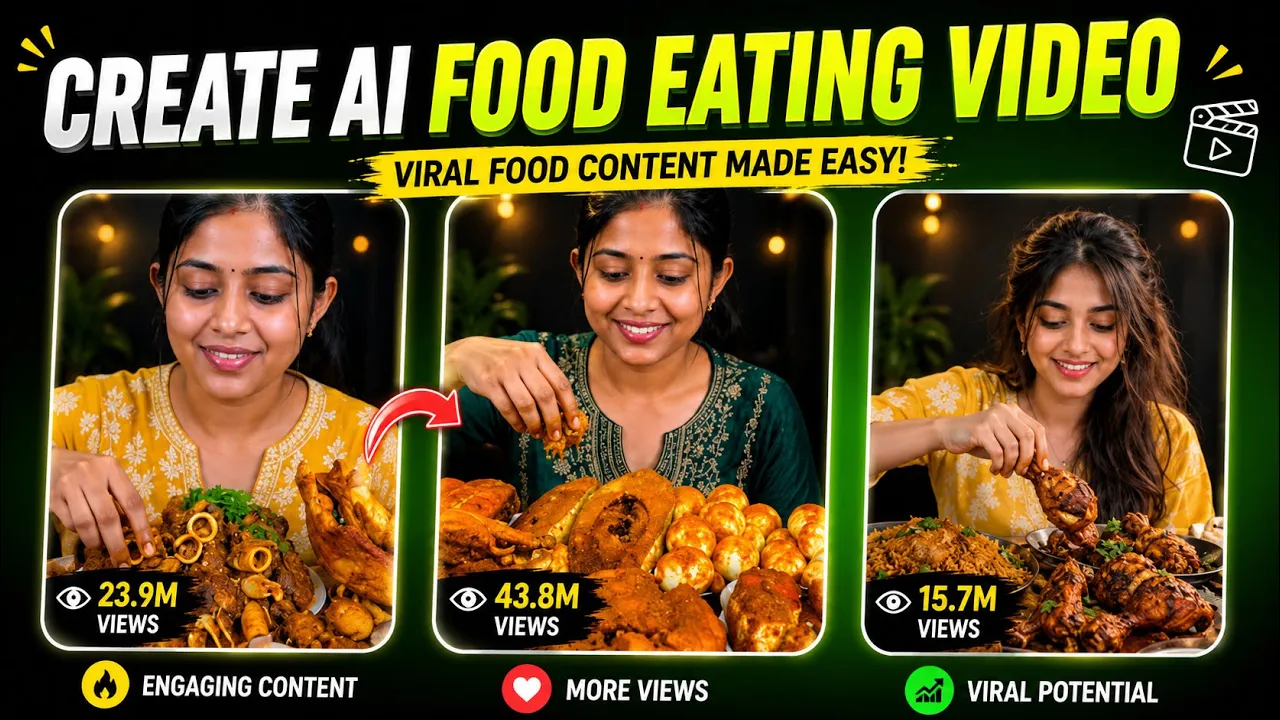
Have you ever seen those viral AI food eating videos on Instagram where a realistic character tastes different foods, reacts naturally, and even gives a funny review? These videos are getting millions of views, and the best part is—you can create them with your own face or anyone else’s (with their permission).
In this guide, I’ll show you the easiest method to create these trending AI food eating videos using ChatGPT and the YT Create app. The process is beginner-friendly, and once you understand it, you can create unlimited videos simply by changing the food and outfit.
Let’s get started!
Why Are AI Food Eating Videos Going Viral?
AI-generated food videos have become one of the hottest trends on Instagram Reels, YouTube Shorts, and TikTok because they:
- Look highly realistic.
- Feature expressive facial animations.
- Grab viewers’ attention within seconds.
- Are easy to customize with different foods and outfits.
- Can be recreated consistently with the same character.
If you’re a content creator, this trend is worth trying.
Step 1: Generate an AI Image with ChatGPT
The first thing you need is ChatGPT.
If you don’t already have it installed, download the official ChatGPT app from the Google Play Store or use the web version.
👉 Official Website: https://chatgpt.com/
Once you open ChatGPT:
- Tap the + (Plus) button.
- Select Photos.
- Upload the photo you want to use.
You can upload:
- Your own face
- A friend’s photo (with permission)
- Any original character image you own
After selecting the image, paste your prepared AI prompt into ChatGPT.
Customize Your Character
One of the best things about this method is that you can customize almost everything.
For example, describe your character like this:
- Gender (Boy or Girl)
- Clothing
- Hairstyle
- Facial expression
- Food type
Example:
- Character: Girl
- Outfit: Modern Yellow Kurti
- Food: Fried Chicken
You can replace these with anything you like.
Examples:
- Pizza
- Burger
- Sushi
- Biryani
- Noodles
- Ice Cream
- Chocolate Cake
Changing the outfit and food every time helps keep your content fresh while maintaining the same AI character.
Generate the Image
Once your prompt is ready:
- Tap Send.
- Wait a few moments while ChatGPT creates your AI image.
Within a short time, you’ll receive a detailed image featuring:
- The same face
- The selected outfit
- The chosen food
- High-quality composition
If you requested a yellow kurti and chicken, that’s exactly what you’ll get.
When you’re satisfied, simply download the generated image to your device.
Step 2: Convert the Image into an AI Video
Now it’s time to animate the image.
For this tutorial, we’re using the YT Create app, which is available on the Google Play Store.
After installing it:
- Open the app.
- Tap Generate Video.
- Upload the AI image you downloaded.
Add a Simple Prompt
You don’t need a complicated prompt.
Even writing:
Eating
works perfectly.
If you want better results, you can write:
Girl eating food naturally with realistic expressions and happy emotions.
Then tap Generate.
The AI will begin creating your animated video.
Wait for the Rendering
The rendering process may take a few minutes.
At first, the progress might appear slow, but once it starts moving, it speeds up quickly.
After processing is complete, you’ll receive a fully animated video.
The AI usually generates:
- Natural eating movements
- Realistic facial expressions
- Lip movements
- Emotional reactions
- Smooth animation
- Background sound effects
The final result looks surprisingly realistic.
Step 3: Save Your AI Video
Once the animation is complete:
- Tap Use Video.
- Tap Save.
- Select Export.
Your finished AI food eating video will be saved directly to your device and will be ready to upload on Instagram Reels, TikTok, YouTube Shorts, or Facebook.
How to Make Unlimited Viral Videos
The secret is very simple.
You don’t need to create a brand-new workflow every time.
Instead, just change:
- The food
- The outfit
Everything else can stay the same.
For example:
Video 1
- Yellow Kurti
- Fried Chicken
Video 2
- Blue Hoodie
- Pizza
Video 3
- White Dress
- Ice Cream
Video 4
- Red Saree
- Sushi
This allows you to create an unlimited number of unique videos while keeping your AI character consistent.
Tips for Better Results
To make your AI videos stand out:
- Use a clear, high-resolution portrait.
- Keep facial features visible.
- Experiment with different foods.
- Change clothing between videos.
- Use bright lighting in your generated images.
- Upload your videos in vertical (9:16) format for Instagram Reels and YouTube Shorts.
Frequently Asked Questions (FAQs)
Can I use my own face?
Yes. Simply upload your own portrait and generate the AI image.
Can I change the food?
Absolutely. Just edit the prompt with a different food item before generating the image.
Do I need advanced editing skills?
No. This method is beginner-friendly and requires only a few taps.
Can I make multiple videos with the same character?
Yes. Simply keep the same face and modify the clothing and food to create fresh content every time.
Final Thoughts
Creating viral AI food eating videos has become incredibly easy thanks to modern AI tools. By combining ChatGPT for image generation with YT Create for animation, you can produce engaging, realistic short-form videos in just a few minutes.
The key to keeping your content fresh is simple: maintain the same AI character while experimenting with different outfits and food items. With a little creativity and consistency, you can quickly build a library of entertaining AI videos that are perfect for Instagram Reels, YouTube Shorts, and TikTok.
Helpful Resources
- ChatGPT: https://chatgpt.com/
- OpenAI Image Generation Guide: https://help.openai.com/
- Google Play Store: https://play.google.com/store
- YouTube Shorts Creator Academy: https://creatoracademy.youtube.com/
- Instagram Creators Hub: https://creators.instagram.com/
If you found this guide helpful, try creating your first AI food eating video today and experiment with different prompts to discover your own unique viral style!